Staff management software for events and equipment rental
Stay on top of your crew’s work on site and in the warehouse.
Organise tasks, record working time and receive issues from where the work happens. Management and operations see what is done, what is pending and who is on it.
For crews spread across venues, builds and warehouses.
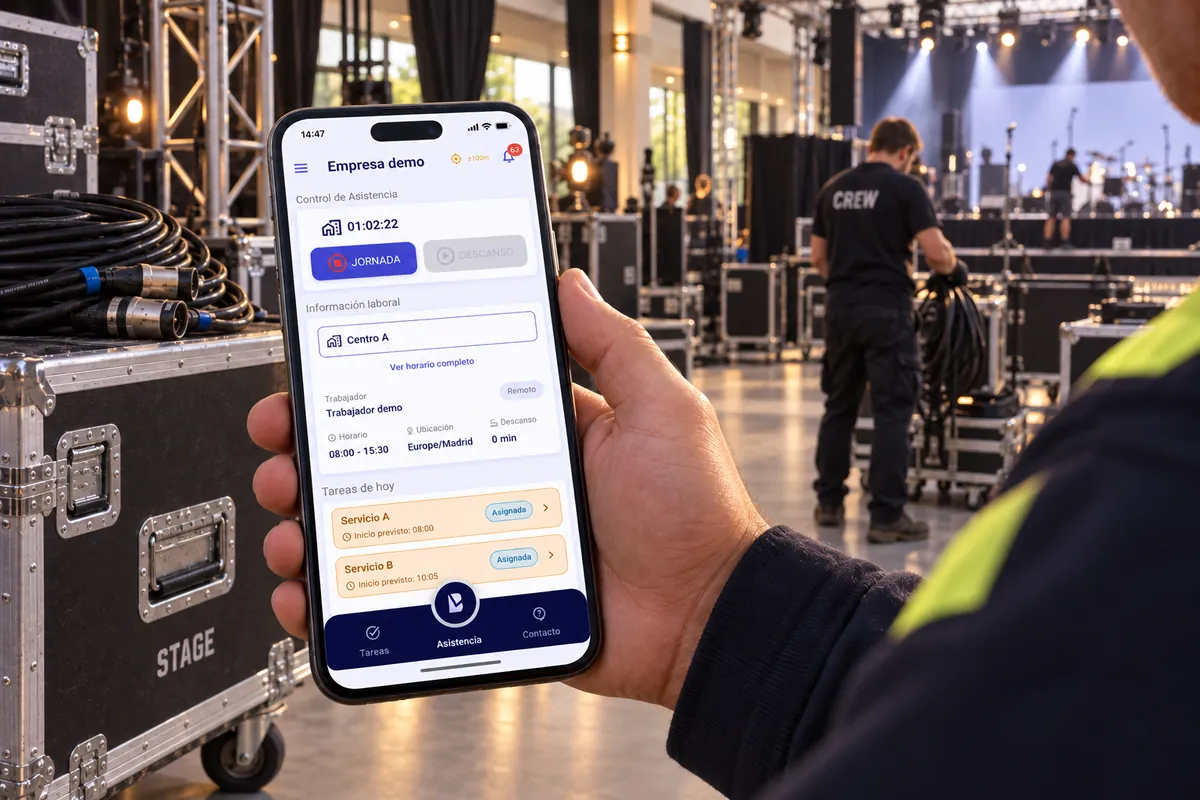
The work is spread out. You need to know what is going on.
A build under way, kit still to be prepped and a kit return to check when it gets back to the warehouse. When the information arrives through calls, messages and loose paperwork, following the work means piecing it back together.
Does any of this sound familiar?
Who has been assigned the prep?
The kit goes out tomorrow and who does what lives inside a conversation.
Is the build finished, or still to be checked?
Marking it done is one step; reviewing it is another.
Where was that issue logged?
The context is split between calls and messages.
Bring together the tasks and the context you need to review the work.
The work is recorded where it happens.
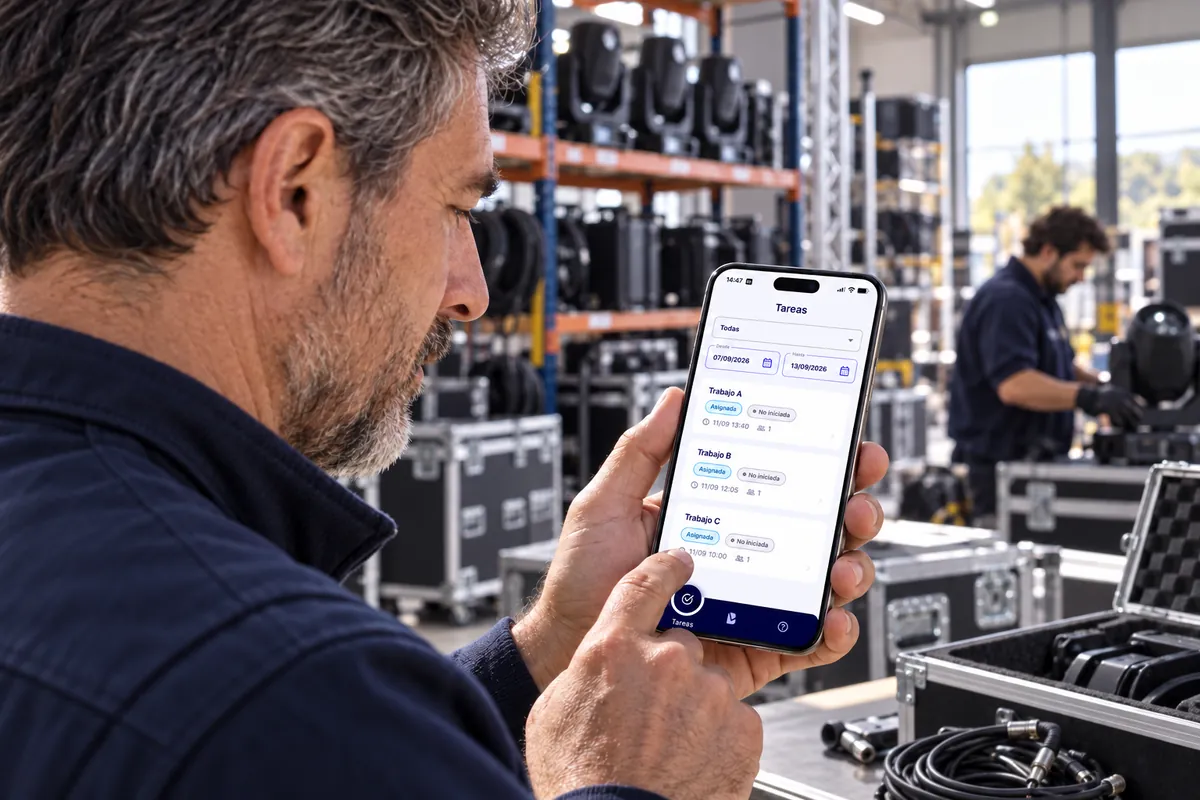
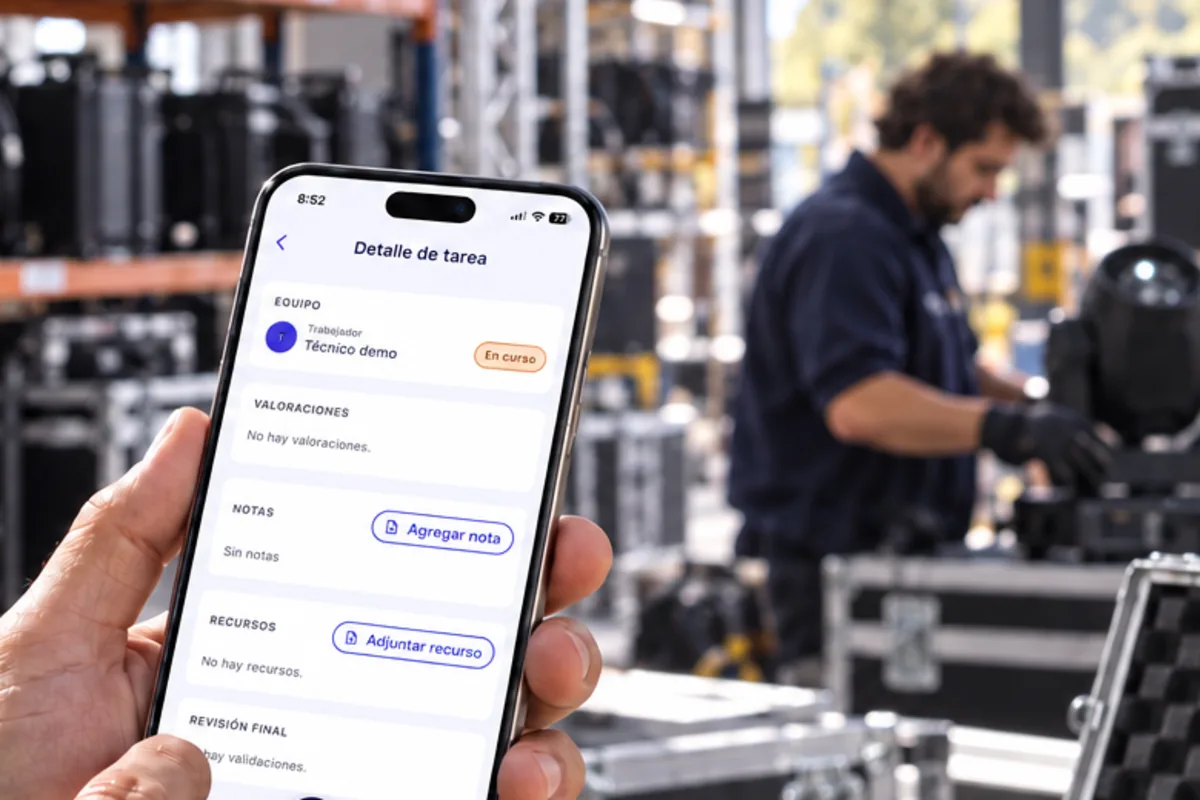
The technician checks their tasks in CheckBiz360 from the venue, updates what they have done and adds notes or attachments. The supervisor can review the work with that context.
Check the assigned task
What each person is responsible for, with its deadline and its status, at the venue itself.
Update the work
Progress is updated from the phone, without waiting to get back to the office.
Add context to review it
Notes and attachments stay on the task itself, where the supervisor will see them.

Organise the work before the kit goes out and when it comes back.
Create and assign prep, receiving and checking tasks in CheckBiz360. The crew checks what they are responsible for from the warehouse and the supervisor reviews the state of each job.
Prep
Assign who gets the kit ready to go out.
Receive and check
Share out the work when the kit comes back to the warehouse.
Review the work
Look at the completed tasks and the evidence attached to them.
Your crew works in the field. Management sees what is done and what is pending.
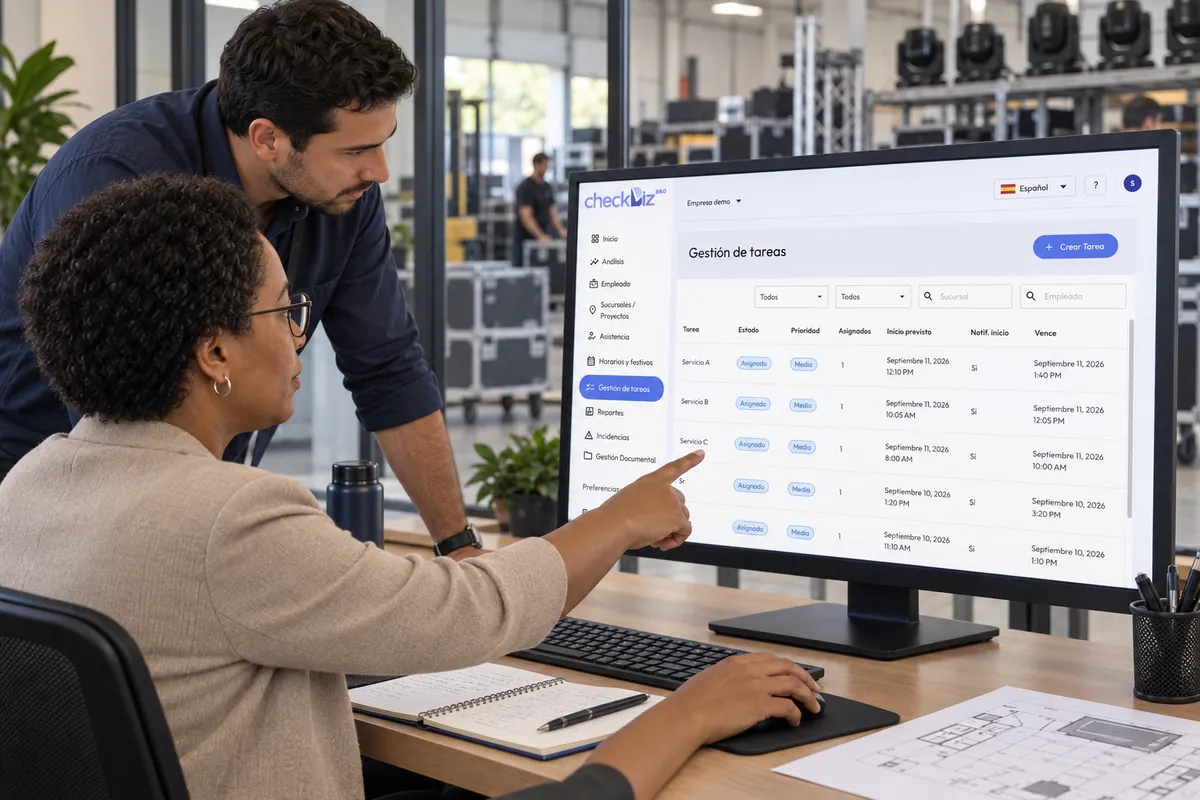
Review assignees, statuses and deadlines for build and warehouse tasks from the back office. Look at the evidence and the issues to follow your crew’s work, even when it is spread across different places.
- Assigned work
Who is on it and by when
The people assigned, the status of each task and its deadline, in a single view.
- Recorded execution
What the crew has completed
The work done and the context added by whoever did it.
- Supervisor review
Approve the result or reject it
Rejecting requires a reason, which the crew member sees alongside the task.
What happens on the build arrives with its context.
The crew reports issues from CheckBiz360. Supervisors read the detail, reply and keep a history of how it developed.
Follow each issue without piecing together a chain of messages.
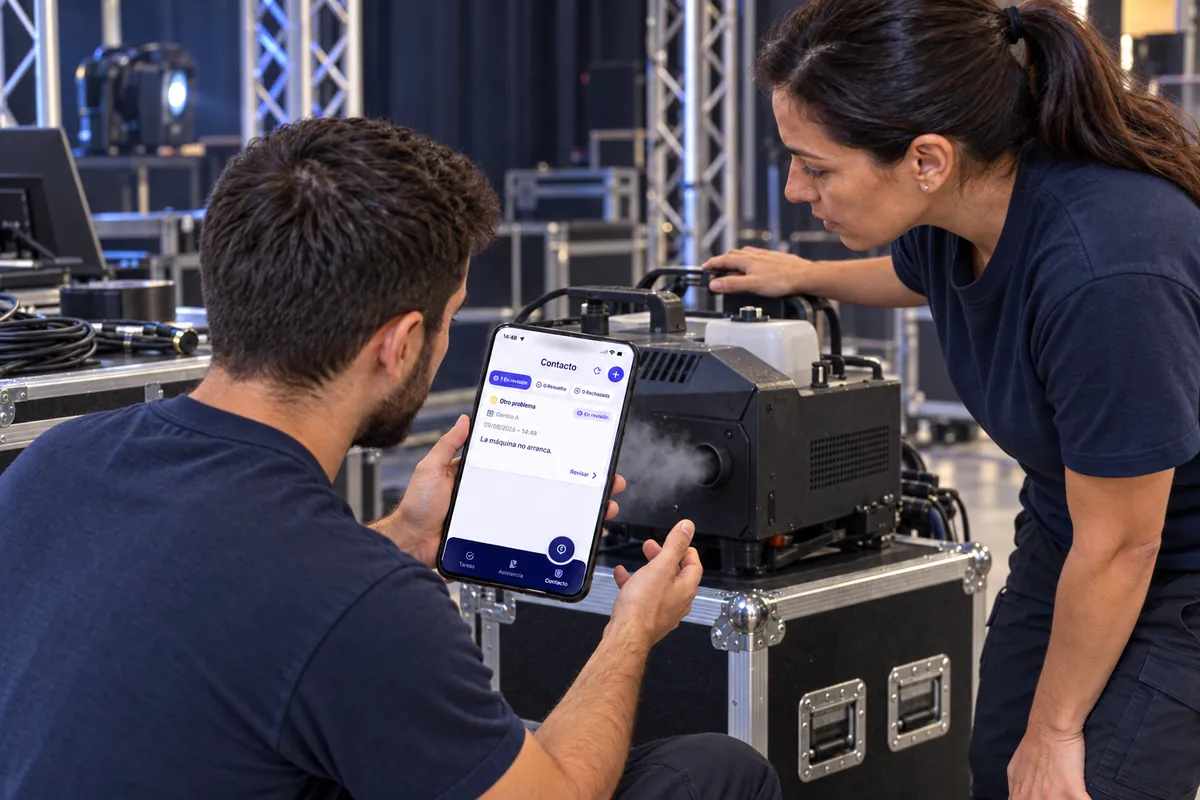
Record working time where your crew works.
Staff record their starts, finishes and breaks from where they work. Supervisors look at the records and their reports in CheckBiz360 to review the crew’s working time.
Review your crew’s cost with the data from their working time.
Follow how cost per person and per site changes, from approved working days and the rates configured in CheckBiz360.
The figures are based on the records and the rates available.
Each person on the schedule that fits.
A site that changes shifts every week, a team that moves from job to job and an office that repeats its week are not organised the same way. Each branch and each person has its mode, and what you plan is what everyone sees in the app and clocks in against.
By shifts
The schedule is the shifts you load, week by week. A day with no shifts is off.
Works best for home care services, cleaning, retail, hospitality, security and anywhere every week is different.
By tasks
Your sector’sEach task is a shift: each person’s day is their jobs, with a time and an address.
Works best for home care, maintenance rounds and jobs at the customer’s site.
On set-ups, each job is a shift, with its time and address; the warehouse can run by shifts.
Standard week
The same week, every week. Set it once and it repeats itself.
Works best for offices, admin and sites with fixed hours.
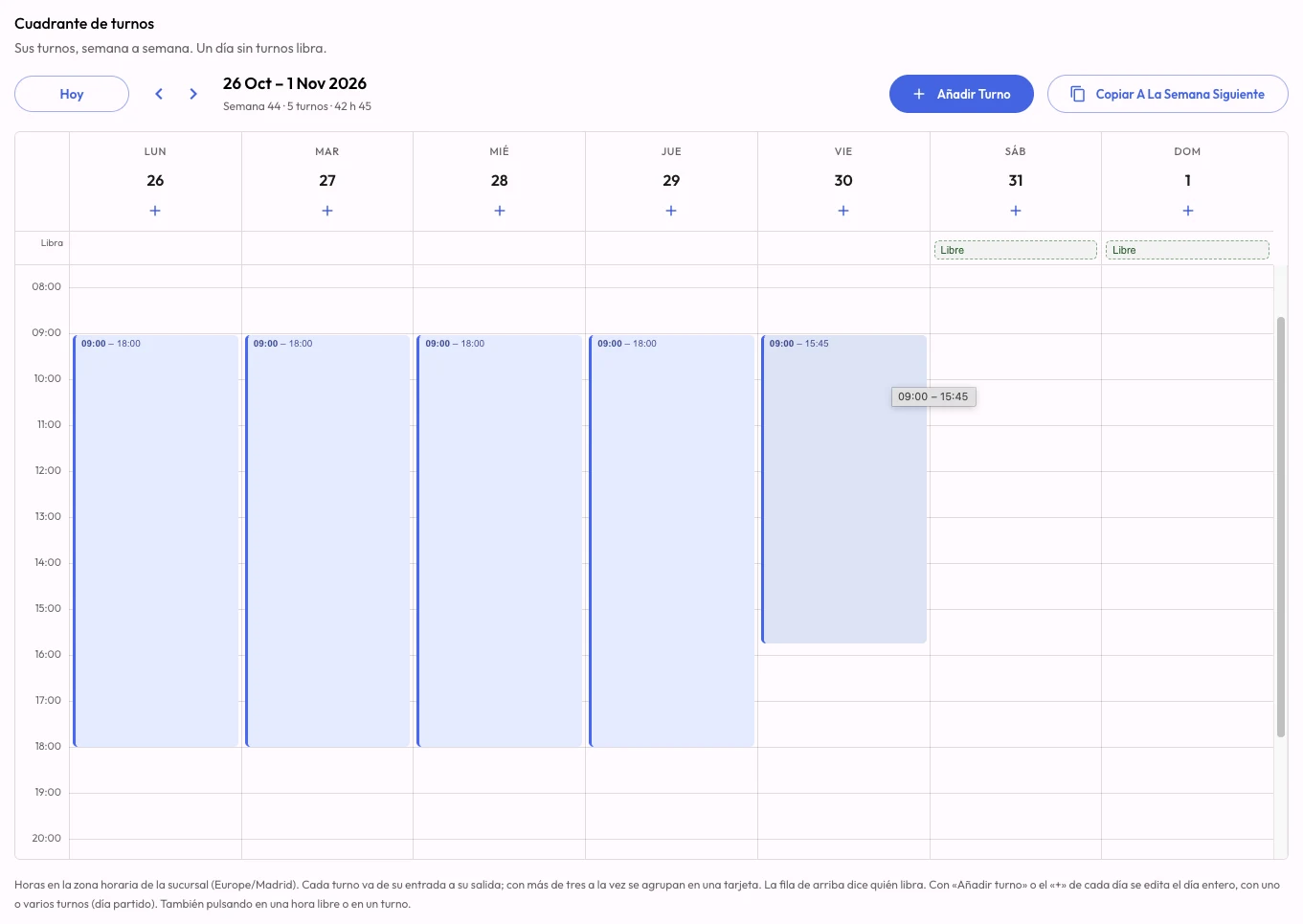
They mix on the same site, and the week is loaded in the dashboard, copied to the next, uploaded from Excel or requested from the AI operations manager.
See how staff rotas workAsk Claude or ChatGPT. It gets done in CheckBiz360.
Building the week, onboarding new people, knowing who hasn’t clocked in this morning and who can cover them: the work that eats the afternoons of whoever runs the operation. Connect CheckBiz360 to your assistant and ask in your own words. It prepares everything with your permissions, shows you what it’s about to do and saves nothing until you say yes.
Things you can ask
- How are we doing today at the venue A build? What should I look at first?
- Lucía hasn’t clocked in. Who can cover the ten o’clock build?
- Build the warehouse’s week like last week’s, but Marta is off on Thursday.
- Onboard these twelve crew members and these three venues.
- You
Lucía hasn’t clocked in and she has the 10:00 service at North Site. Who can cover her?
- Assistant
For today’s 10:00 to 12:00 service at North Site:
- Free
- Marta R. · shift 8:00 to 15:00, nothing scheduled at that time.
- With caveats
- Pablo S. · has another service until 10:30.
- Unavailable
- Andrés L. · on holiday.
Who should I assign it to?
- You
Marta.
- Assistant
10:00 to 12:00 service at North Site. Before: Lucía G. After: Marta R. Shall I apply it?
- You
Yes.
- Assistant
Done. Marta already has the service on her phone.
Answers come from your company’s data in CheckBiz360. Names and sites are made up for the example.
Connect
Once, with a single address that works for every company you manage. Two minutes.
Ask
In Claude or ChatGPT, in your own words: “how are we doing today?”, “build”, “change”, “onboard”, “who…?”.
Review and confirm
It shows you what it’s about to do, with the before and after. It only applies it when you say yes.
What protects you
- It acts with your permissions, checked on every request: nothing you couldn’t do yourself in the dashboard.
- Nothing is saved without your confirmation. Close the conversation without a yes and nothing happens.
- You can see which assistants are connected to your company and disconnect them from Tools instantly.
For owners and administrators with two-factor authentication enabled. You need your own Claude or ChatGPT account; a company account is advisable, because your operation’s data travels to that service.
What you stop doing by hand.
Five jobs that today get done screen by screen, spreadsheet first, and that with the operations manager become ask, review and confirm. How long they take you today is something only you know: put it in and add it up.
Building the week
TodayRota in a spreadsheet, entered into the platform person by person, then telling everyone their hours.
With the operations manager“Build North’s week like last week’s.” It proposes it person by person, shows it with a spreadsheet, and everyone gets it on their phone when you confirm.
Onboarding people and sites
TodayCopying the payroll provider’s list record by record, with every site address.
With the operations managerPaste the list, the spreadsheet or a photo. It tells you what it will create, what already exists, and creates it when you confirm.
Covering a last-minute absence
TodayChecking shifts, calling three people and redoing the assignment by hand.
With the operations manager“Who can cover the ten o’clock service?” Free, with caveats and unavailable, each with the reason. You choose and it makes the change.
Knowing how the day is going
TodayChecking site by site who has clocked in, who is late and which task hasn’t started.
With the operations manager“How are we doing today?” It starts with what needs attention, site by site.
Reports and month-end
TodayExporting, filtering and assembling the working-time report and the cost comparison by hand.
With the operations manager“Send me October’s working-time report for North Site.” PDF or Excel with a link, and this month’s costs against last month’s whenever you ask.
That time becomes ask, review and confirm.
Example values for a service company with several sites. Replace them with yours: the figure is yours, not a promise of ours.
Go through your case in a demoSet CheckBiz360 up for the way your team works.
- 01
We look at your operation
Where your crew works, how you share out the tasks and what you need to review.
- 02
We configure your team
People, sites and permissions, so the work can be organised.
- 03
We walk through a real job
From the task on the phone to the supervisor’s review.
Tell us how your team works. We will show you CheckBiz360 and prepare a proposal for what your company needs.
Request a demoAlready using Rentman? Connect your operation with RentmanBiz.
You can use CheckBiz360 on its own. If your company already works with Rentman, RentmanBiz connects the compatible data and sends the closed working days of linked staff.
What the integration connects
- Rentman → CheckBiz360Import of people, sites and assignments within the configured scope.
- CheckBiz360 → RentmanPeriodic sending of closed working days for linked staff, with their net hours.
The connection needs configuring and the employees linked between both tools. You can check the sending status and review any differences detected.
What tasks can the import create?
Within the configured scope, it can create tasks from assignments and, if that option is turned on, warehouse prep and receiving tasks. Warehouse tasks start unassigned and the supervisor shares them out in CheckBiz360.
Which hours reach Rentman?
Closed working days for linked employees, with net hours and breaks according to the configuration. Sending is periodic, may need review, and does not automatically book the hours to a specific project.
Does it also sync stock and invoicing?
They are not part of this integration. Its scope covers the staff and working time flows described here.
What happens if the hours sent are changed?
You can look at the differences detected in the periodic review. An external edit does not overwrite the record kept in CheckBiz360.
Rentman is a trademark of its owner. CheckBiz360 connects through RentmanBiz and is not a Rentman product.
Frequently asked questions
What kind of companies is it for?
For event, audiovisual production and equipment rental companies that need to organise and review the work of staff spread across venues, builds and warehouses.
What does the crew member use?
The CheckBiz360 app, to check tasks, record their working time and report issues, according to their permissions and their company’s configuration.
What can management review?
The people assigned, the statuses and the deadlines of the tasks, along with their evidence, the issues and the working time records, according to each supervisor’s permissions.
Does it work if we only have warehouse staff?
Yes. You can create and assign tasks to organise prepping, receiving and checking the kit, even if your team never travels to the event.
Does the crew member complete the task and the supervisor review it afterwards?
Yes. Completing and approving are separate steps. An authorised supervisor reviews the result and can approve it or reject it with a reason.
How much does it cost?
We put together a CheckBiz360 proposal for what your company needs. Any integrations you ask for are set out separately, as options.
Do we need another tool to use CheckBiz360?
No. You can manage tasks, working time and issues, and review the work, from CheckBiz360. Integrations are optional.
See how to keep your crew’s work under control on site and in the warehouse.
We show you the whole journey: the crew member records what happens in the field and management reviews it from the back office.