“Which job used it?”
You can see materials are missing, but finding where they went takes calls and messages.
Consumption linked to tasks, people and warehouses.
See what each job uses, who has each piece of equipment and what still needs returning. Connect inventory to the people and tasks you already manage in CheckBiz360.
For customers with a CheckBiz360 plan · 15-day trial on your first subscription.
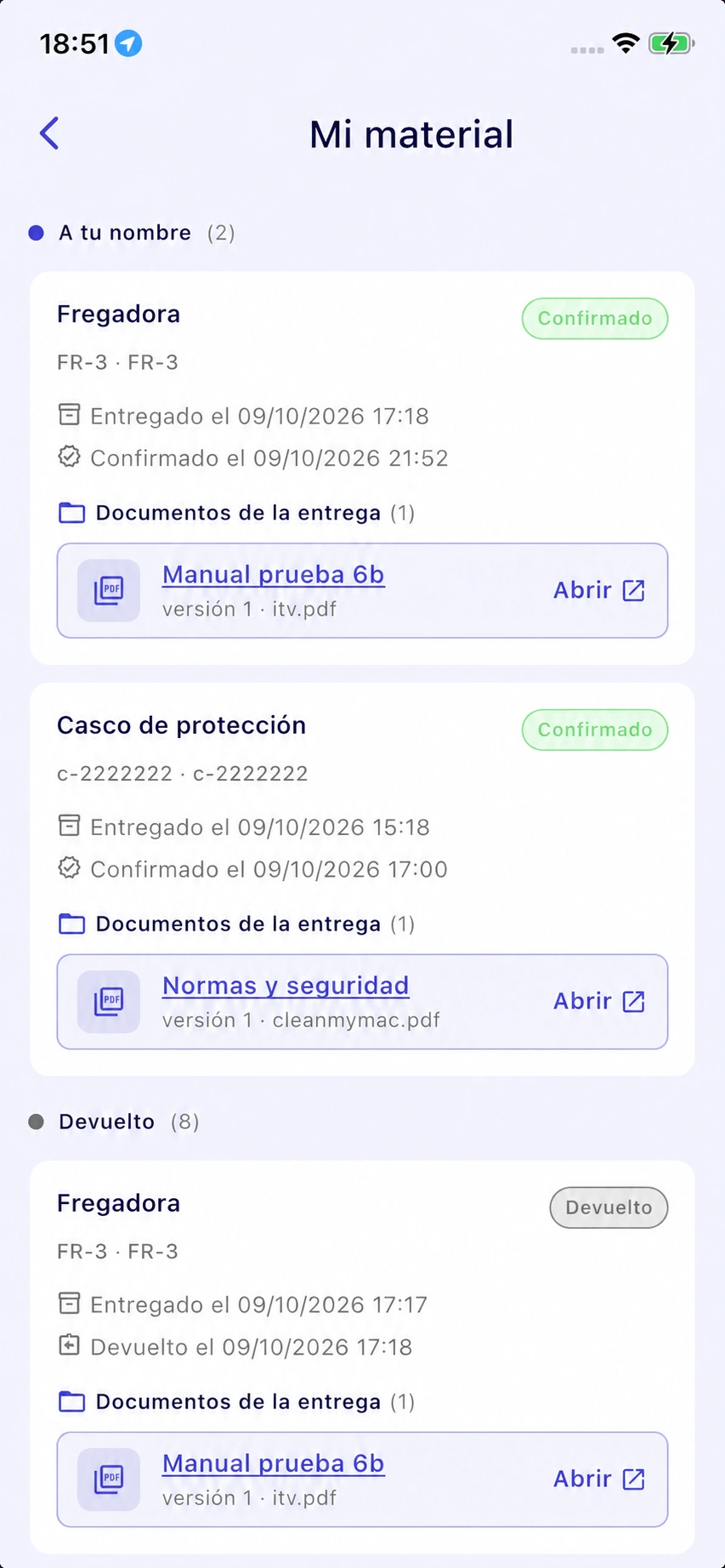
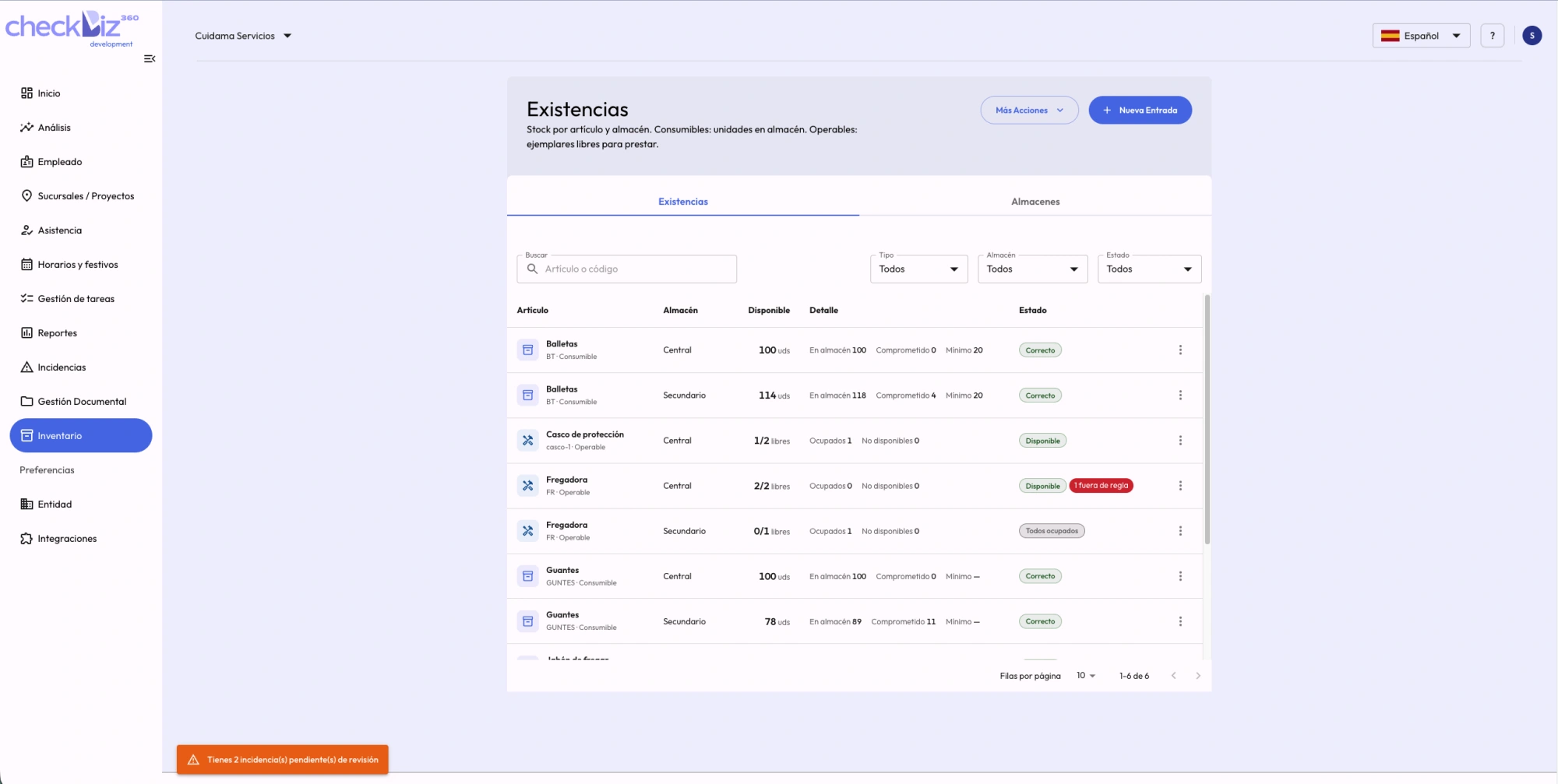
Actual platform screenshots shown in Spanish.
When the warehouse, the team and job reports are disconnected, working out what happened becomes another job.
You can see materials are missing, but finding where they went takes calls and messages.
The task is closed and the equipment is free. That does not mean it has been returned.
Searching for paperwork and checking what each person received slows you down when you need an answer.
The warehouse tells you how much you have. Connecting it to the work helps explain what happened to it.
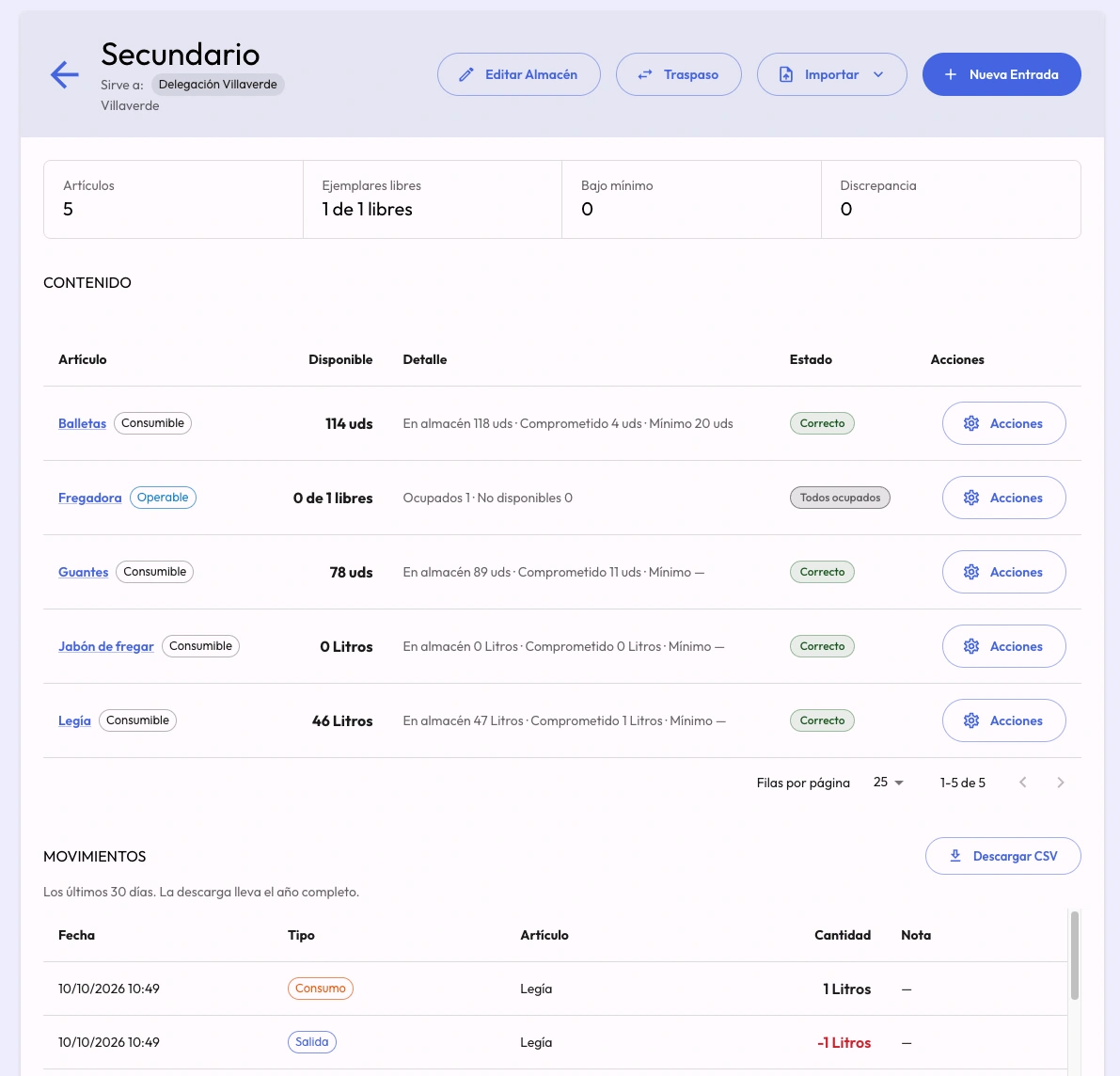
Check stock, committed quantities and availability by warehouse. Set minimum levels and receive warnings when balances fall below them.
Prepare the next job with the information you need.Each machine, vehicle or tool has its own unit record and calendar. Bookings detect conflicts with other tasks.
Check availability before assigning equipment.See whether equipment is recorded at a task, with a person or in a warehouse. The Away from base filter highlights free equipment that is still elsewhere.
Organise collections with a concrete list.Group consumption by item, task, employee, branch or warehouse. Export to CSV and review materials in the Excel task report.
Compare consumption and decide what needs a closer look.Consumption costs use the unit cost configured in each item’s record.
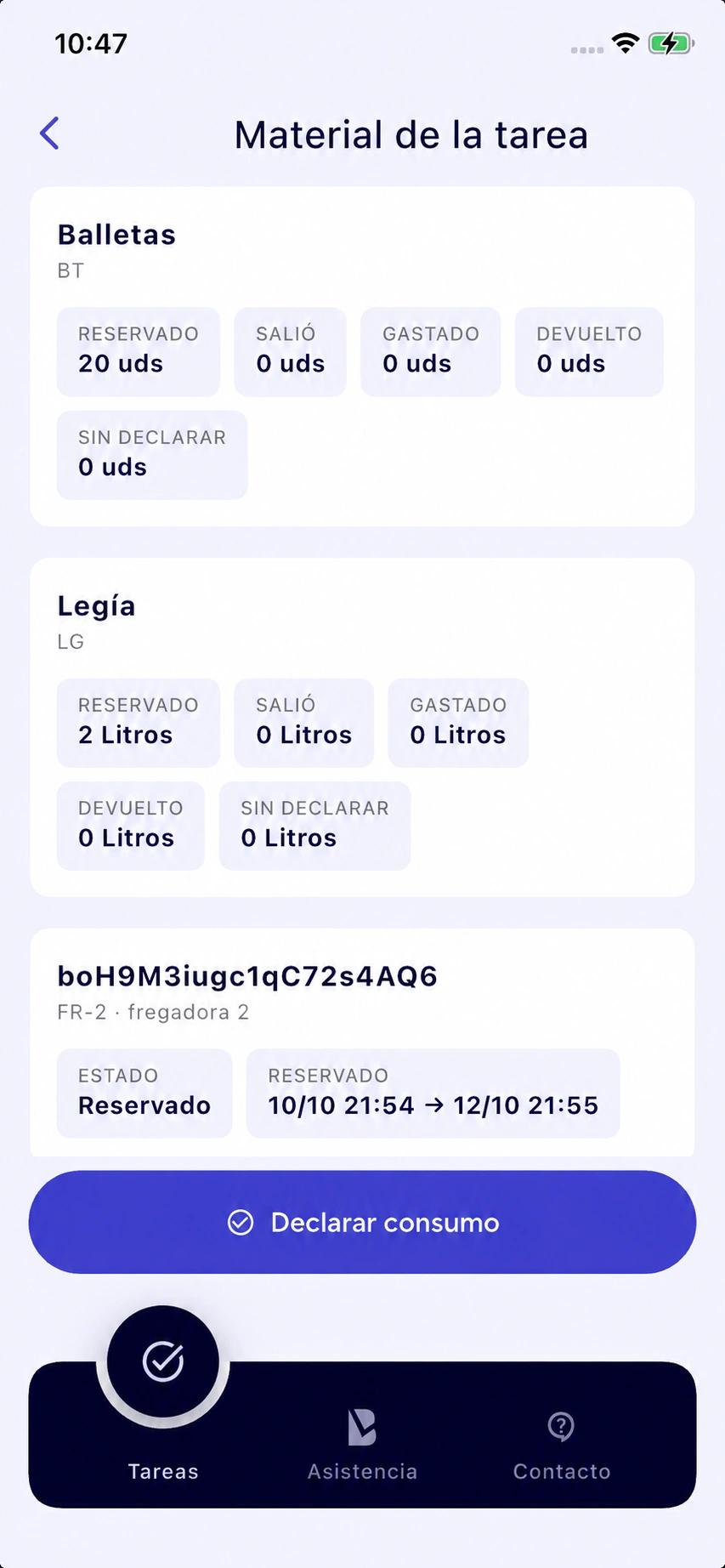
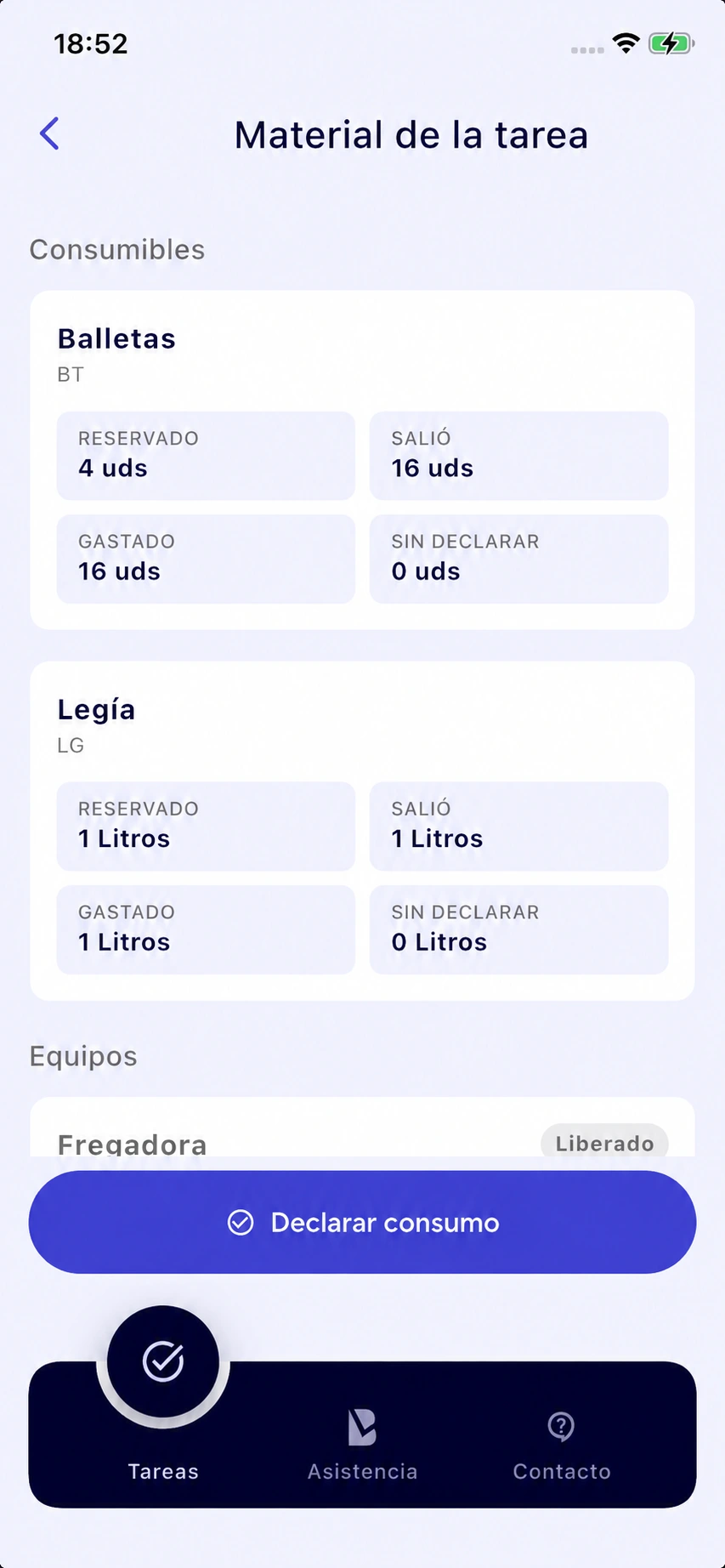
The task brings together what was planned, issued, used and returned.
Assign quantities or individual units when preparing a task. Reserving materials does not mark them as consumed.
Record what leaves for the job. If no issue was recorded beforehand, the platform records it when consumption is declared.
Confirm what was used, adjust quantities and add unplanned materials directly from the task.
Resolve outstanding materials: how much was used and how much came back. Then validate the work.
Keep equipment documents and employee handover history together, ready when you need them.
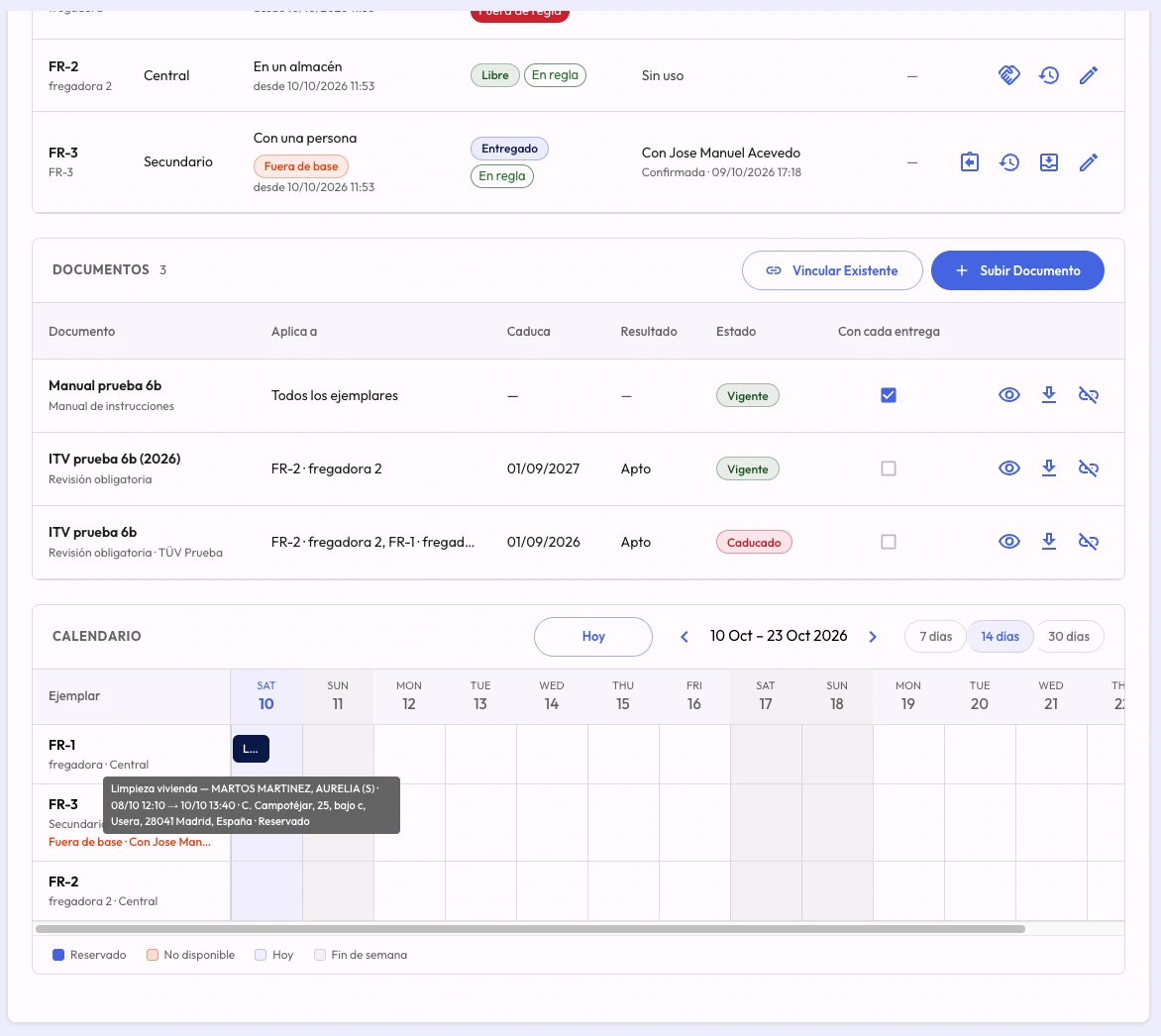
Manuals, insurance, vehicle inspections and servicing, linked to a whole model or a specific unit. Link existing documents without uploading them again.
Warnings during the 30 days before expiry and statuses showing what needs review. Accepted warnings are recorded.
In My materials, workers confirm the handover and its documents, or report that they have not received them or disagree.
Export handovers, confirmations, document versions, returns and inspections by unit to Excel.
Track products used per service and machines shared between sites.
Follow tools, equipment and materials by task, and organise what still needs collecting from site.
Distribute materials between warehouses, record transfers and compare consumption by branch.
Add Inventory to your CheckBiz360 plan, set up a warehouse and follow a task from start to finish. Evaluate the add-on with your own operation for 15 days.
Sign in, select your organisation and open Subscriptions → Inventory. Review the price and complete your billing details.
Add materials or import an Excel or CSV template. Review the proposal row by row before confirming the import.
Reserve materials, declare consumption and check the reconciliation and report. If you work with equipment, also record a handover or return.
trial on your first subscription
Inventory is activated within your account as a paid add-on.
The button opens sign-in. Activation is completed inside the platform.
Paid add-on with its own subscription, in addition to your CheckBiz360 plan. The trial is offered on your first Inventory subscription and requires billing setup. Check the current price and terms in your account before activating.
If you do not use CheckBiz360 yet, create an account and set up your organisation and plan before adding Inventory.
To use Inventory, you need a CheckBiz360 account and plan. It is a platform add-on with its own additional subscription. If you do not have CheckBiz360 yet, create an account and set up your organisation and plan before activating Inventory.
It is a paid add-on with its own subscription. Add it from Subscriptions. Check the current price and terms in your account before activating.
The trial applies to your first Inventory subscription. You need an organisation set up in CheckBiz360 and billing details. Reactivating after a previous subscription does not start another trial.
You can transfer your data into the warehouse consumables and equipment templates and upload them as Excel or CSV. Before importing, you can see what will be created, updated and which rows need corrections.
Location is updated through recorded events: starting a task, handing equipment to a person, releasing it or receiving it at a warehouse. This is its recorded location, not GPS tracking. Releasing equipment does not automatically return it to the warehouse.
Workers declare consumption from their task, with reserved quantities prefilled. In My materials they confirm equipment received. Inventory setup and warehouse movements are handled by authorised roles.
PPE managed as individual equipment units. Quantity-based handovers of consumable PPE, such as boxes of disposable gloves, are not part of this person-to-person handover flow.
Inventory operations require a connection. Offline recording and later synchronisation are not included in this version.
Yes. You can export consumption and movements to CSV. Task and Equipment and PPE reports are generated in Excel.